Tour
The dashboard, feature by feature, on a local cluster running three sample projects.
The dashboard is the same on shpyrd cloud, at your workspace's address; these screenshots come from a local kind cluster running the three sample projects in examples/: shop (Go, buildpacks, a web and a worker process, an attached PostgreSQL database and a Valkey cache), blog (Node.js, buildpacks, a persistent volume) and api (Python, built from a Dockerfile). Everything below is also available from the CLI.
Signing in
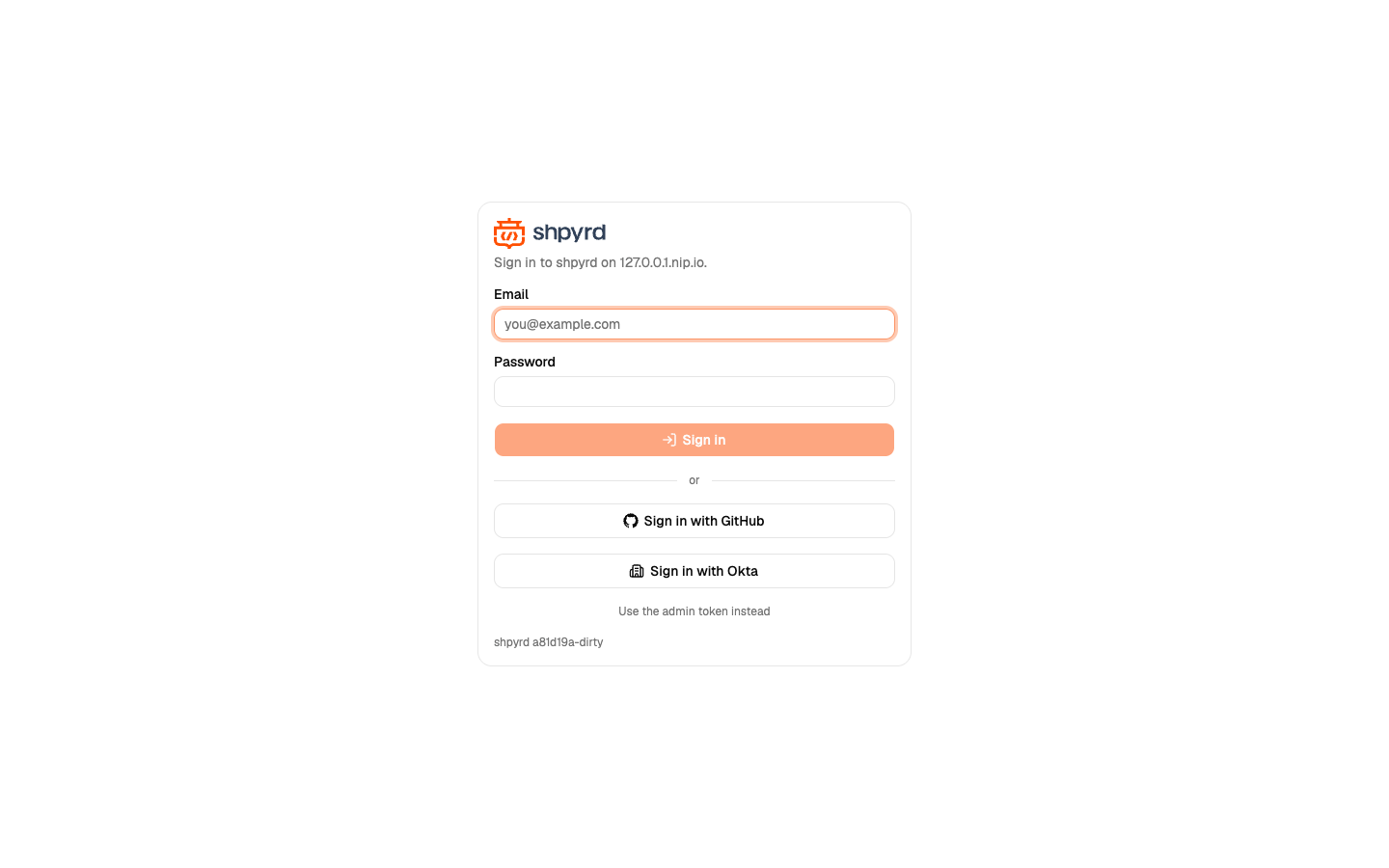
With the auth-local extension enabled, people sign in with their own email and password on this page, never on a third-party screen; a wrong password is shown right here. Company identity providers (Okta or any OpenID Connect issuer) and GitHub or Google appear as buttons. On a cluster you run yourself, the admin token is still accepted for automation, sits behind a small link, and can be switched off, and shpyrd cluster dashboard opens the dashboard signed in as you through a one-time link, so the token never reaches the browser.
Projects
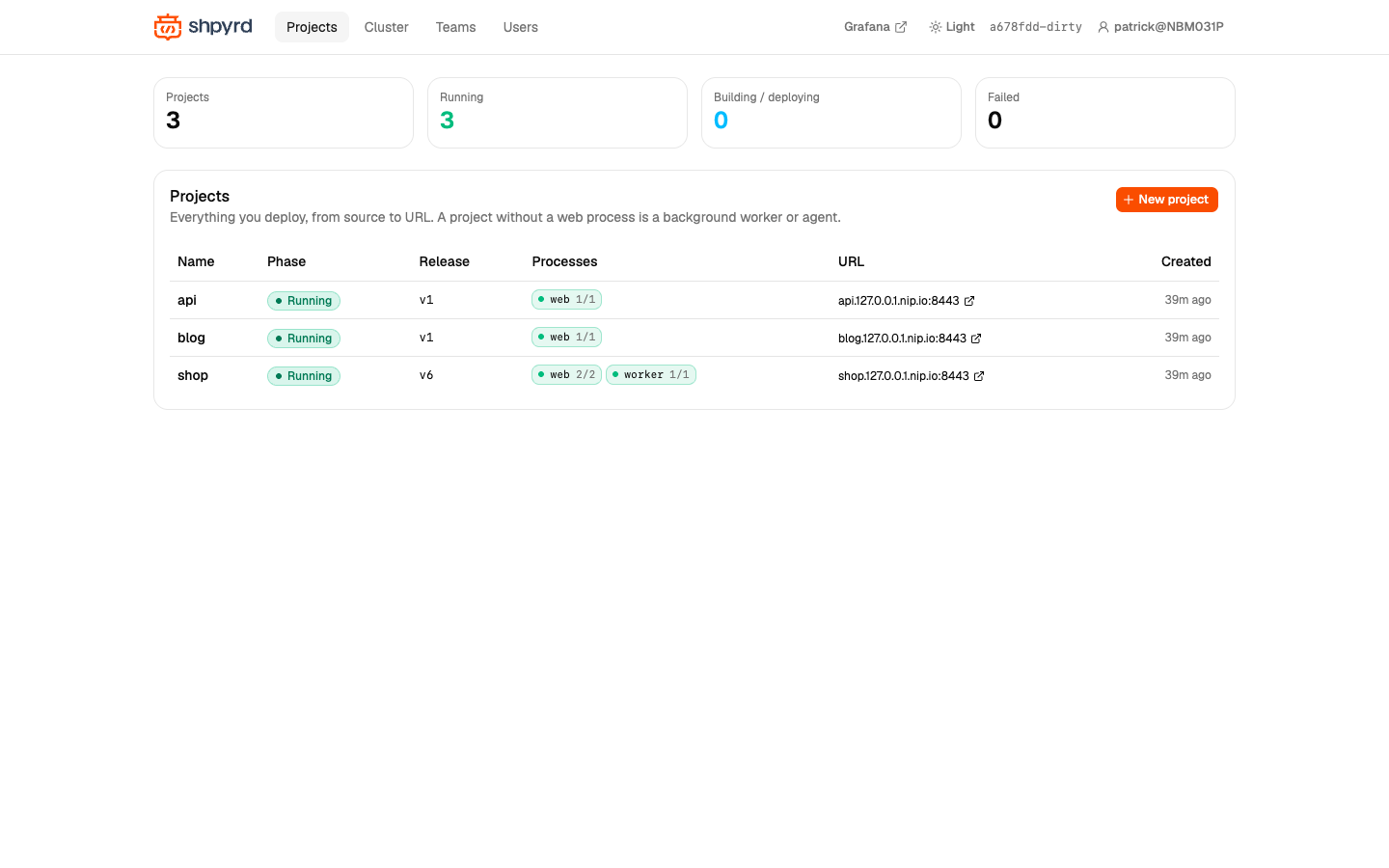
Every project with its phase, current release, per-process health and URL. A project is what you deploy to: a name, a URL, config vars and a set of resources.
A project
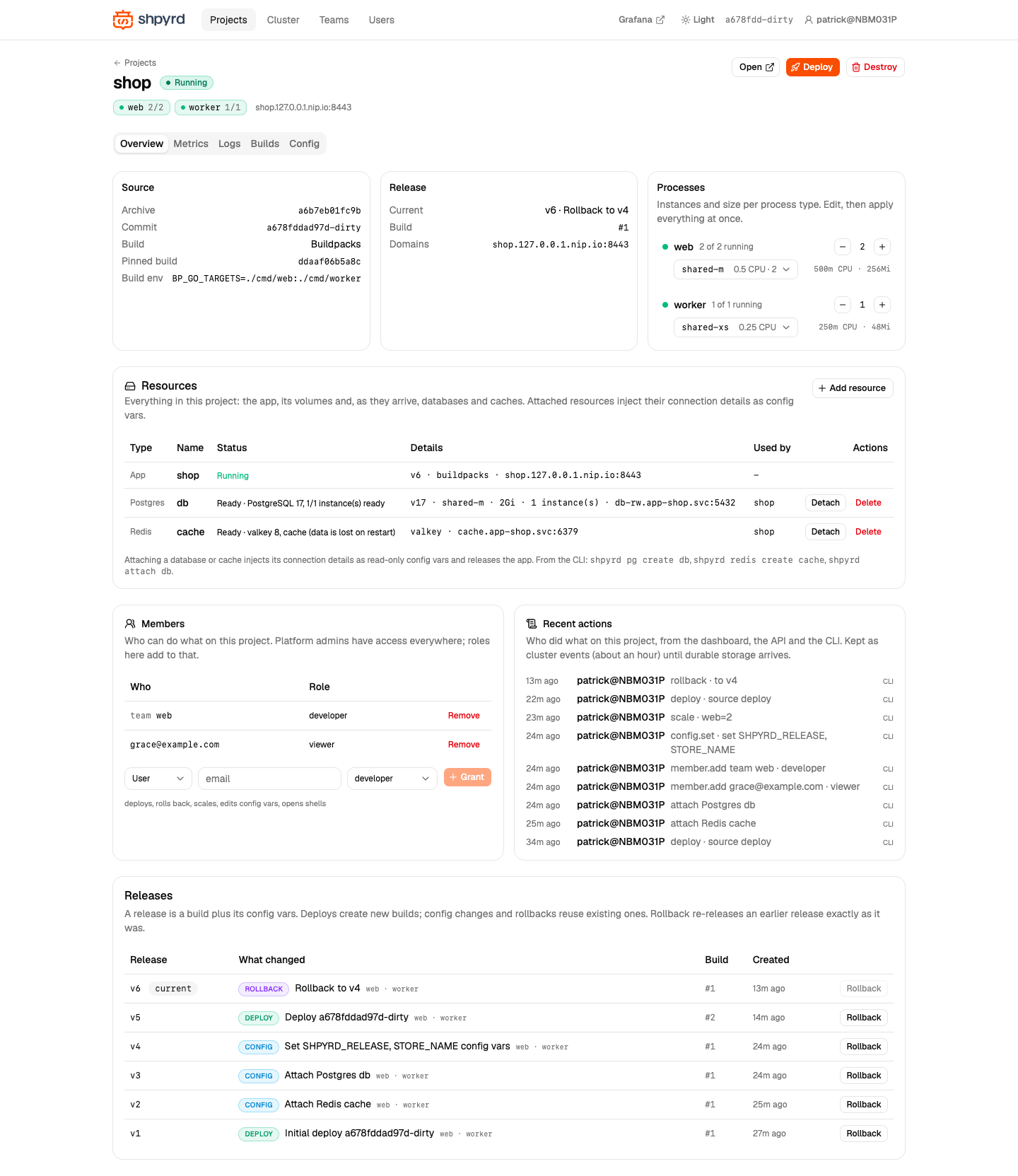
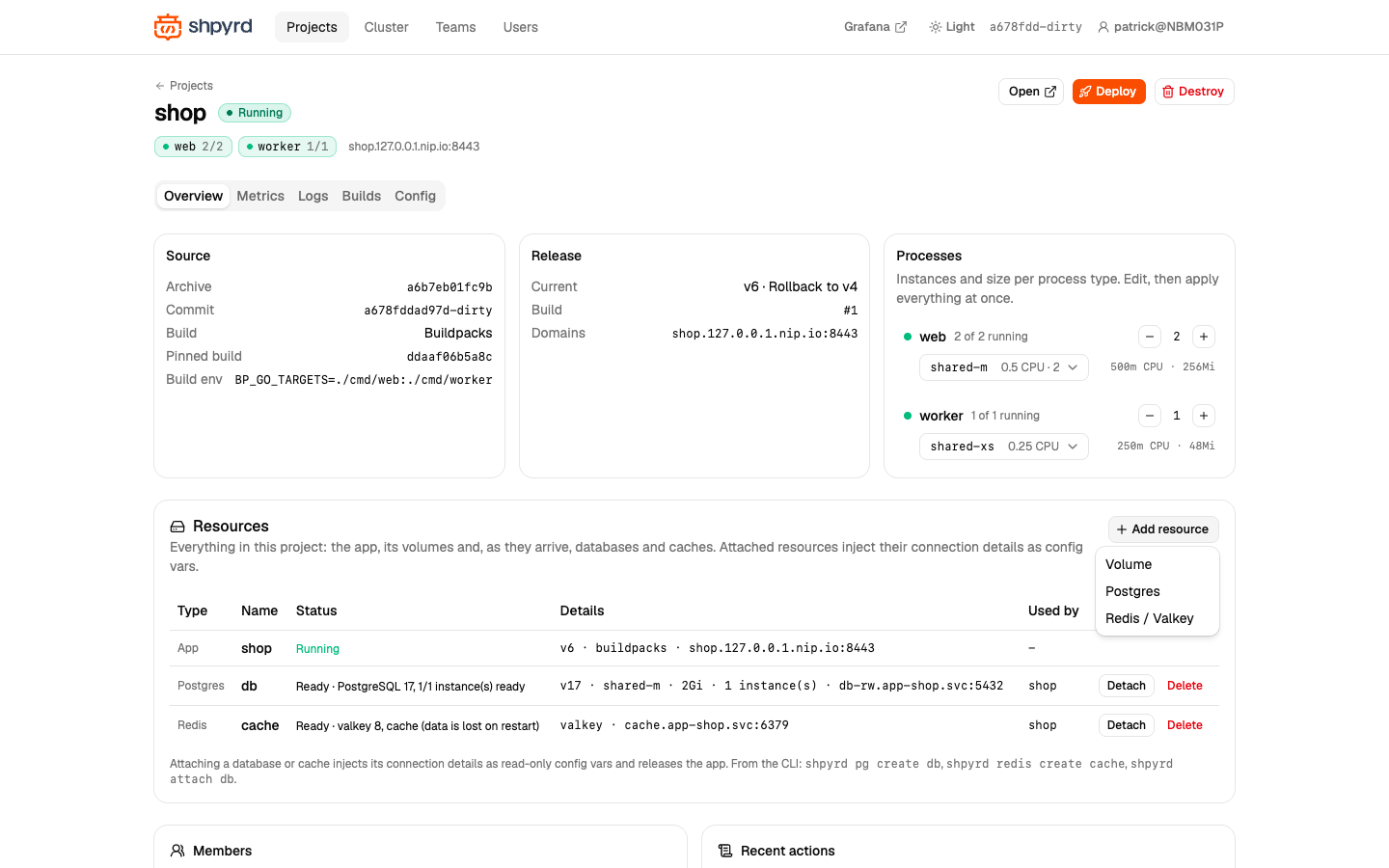
The overview of shop: source and build strategy, the current release and its build, and the Processes card where instance counts and sizes are edited as a draft and applied at once (one release). Below it the Resources, Members, Recent actions and Releases cards.
Resources and attachments
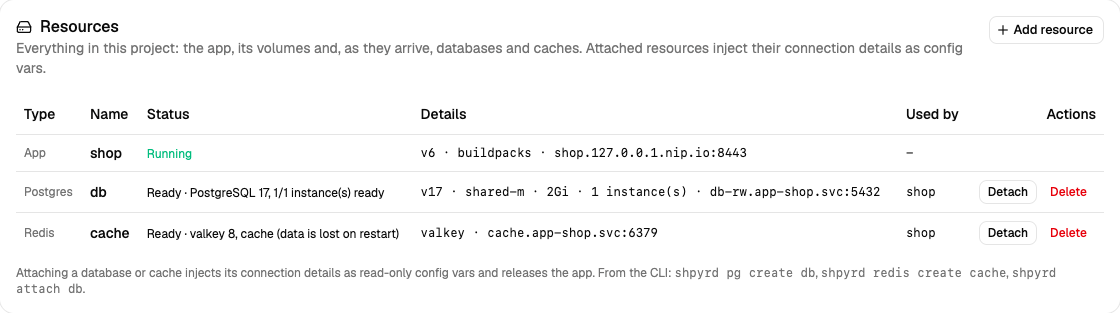
Everything in the project: the app, its volumes, databases and caches, with status, endpoint and what uses them. db (PostgreSQL 17 on CloudNativePG) and cache (Valkey 8) are attached to the app: their connection details are injected as DATABASE_* and REDIS_* config vars. Detach removes them in a new release; Add resource creates a volume, a database or a cache.
Releases and rollback
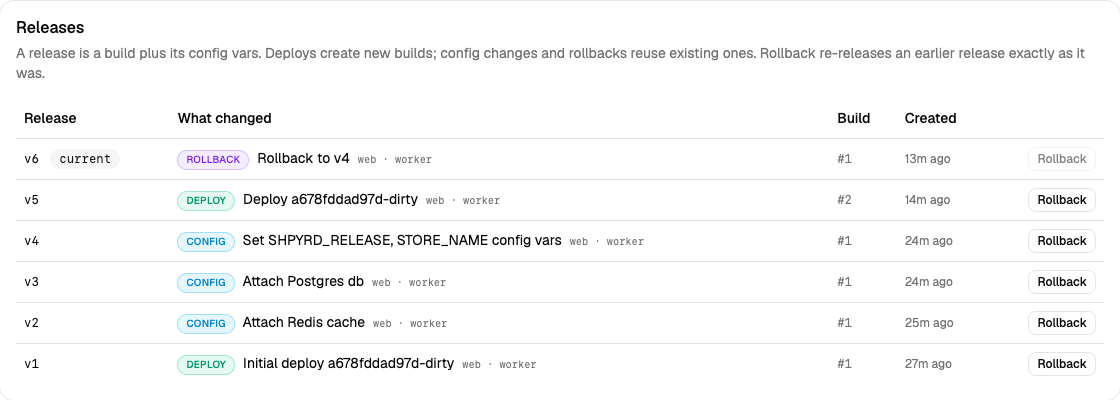
A release is a build plus the config in effect. Six releases of shop: the initial deploy, two attachments and a config change (all config releases reusing build #1), a second deploy (build #2) and a rollback to v4. Rollback re-releases a build together with its config vars, sizes and attachments.
Members and the audit trail
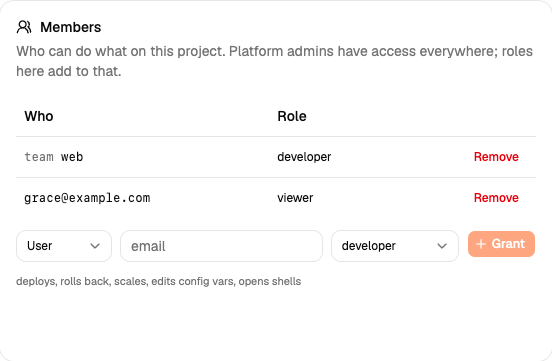
Roles per project (viewer, developer, admin) granted to users or teams; platform admins have access everywhere. Next to it, Recent actions lists who did what, from the dashboard, the API and the CLI.
Deploying
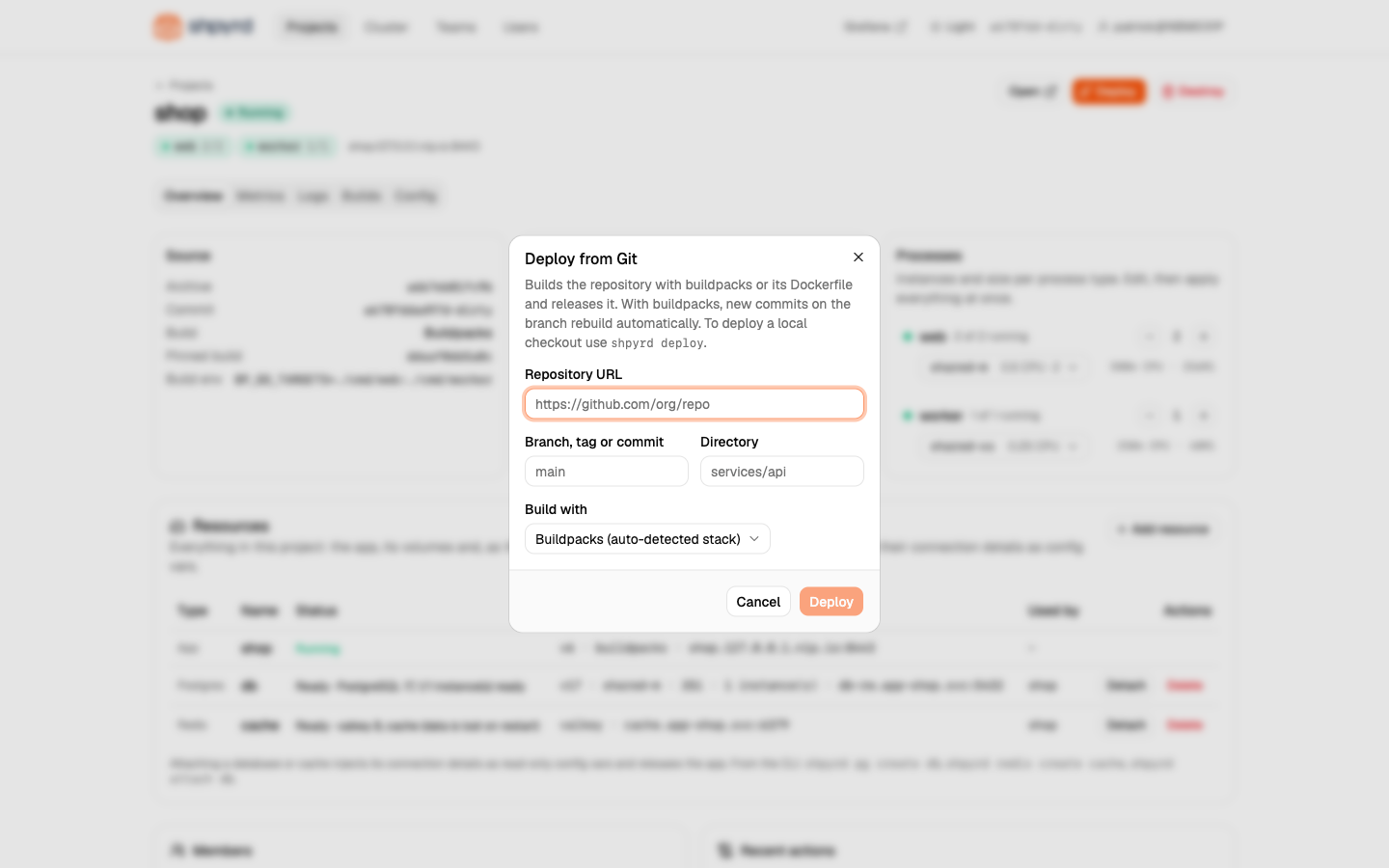
Deploy from a Git repository with buildpacks or a Dockerfile; local checkouts deploy with shpyrd deploy.
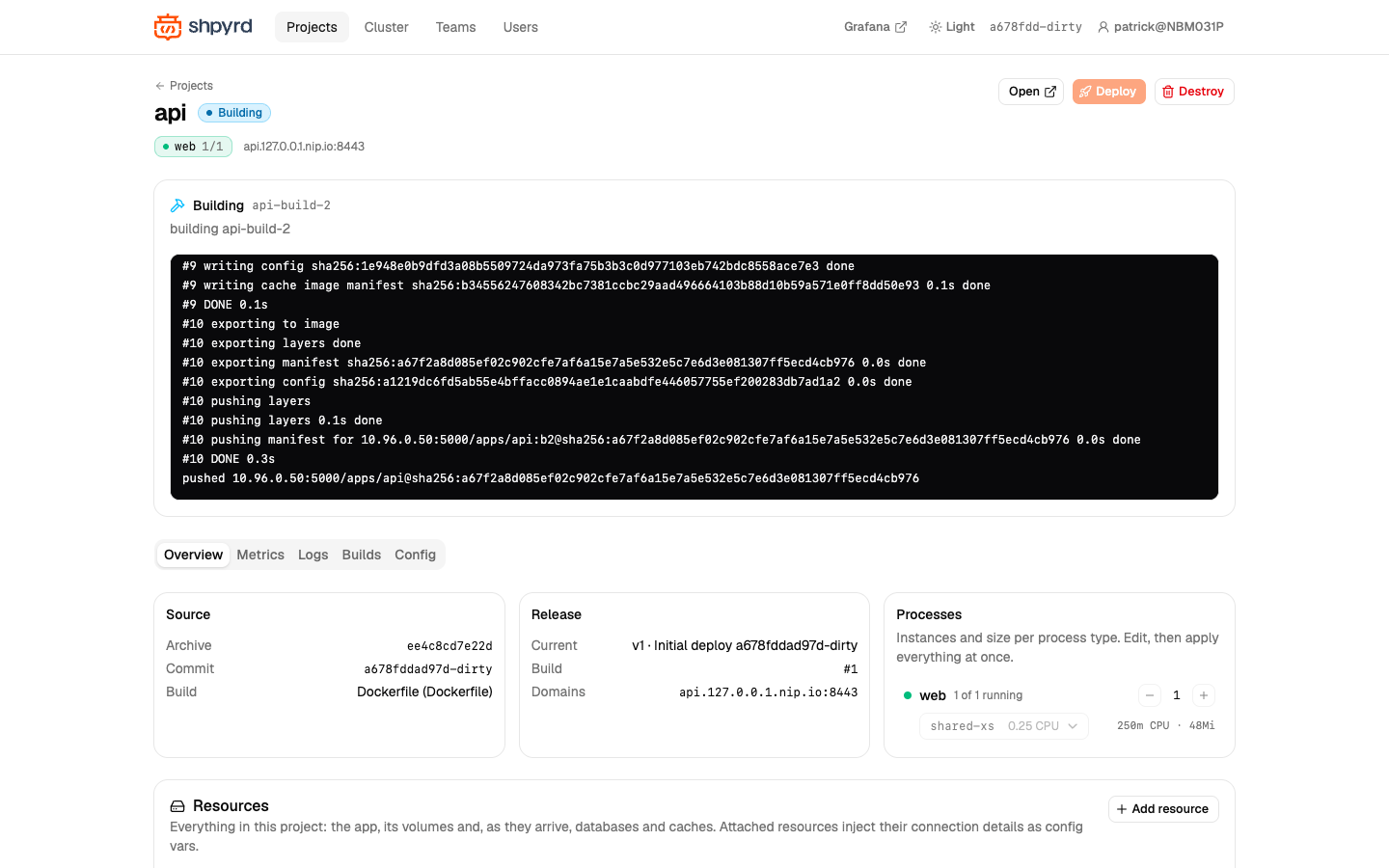
While a build runs, the Activity panel streams its output; while a release rolls out it shows per-process progress, and when instances fail it shows the reason with a one-click rollback.
Metrics
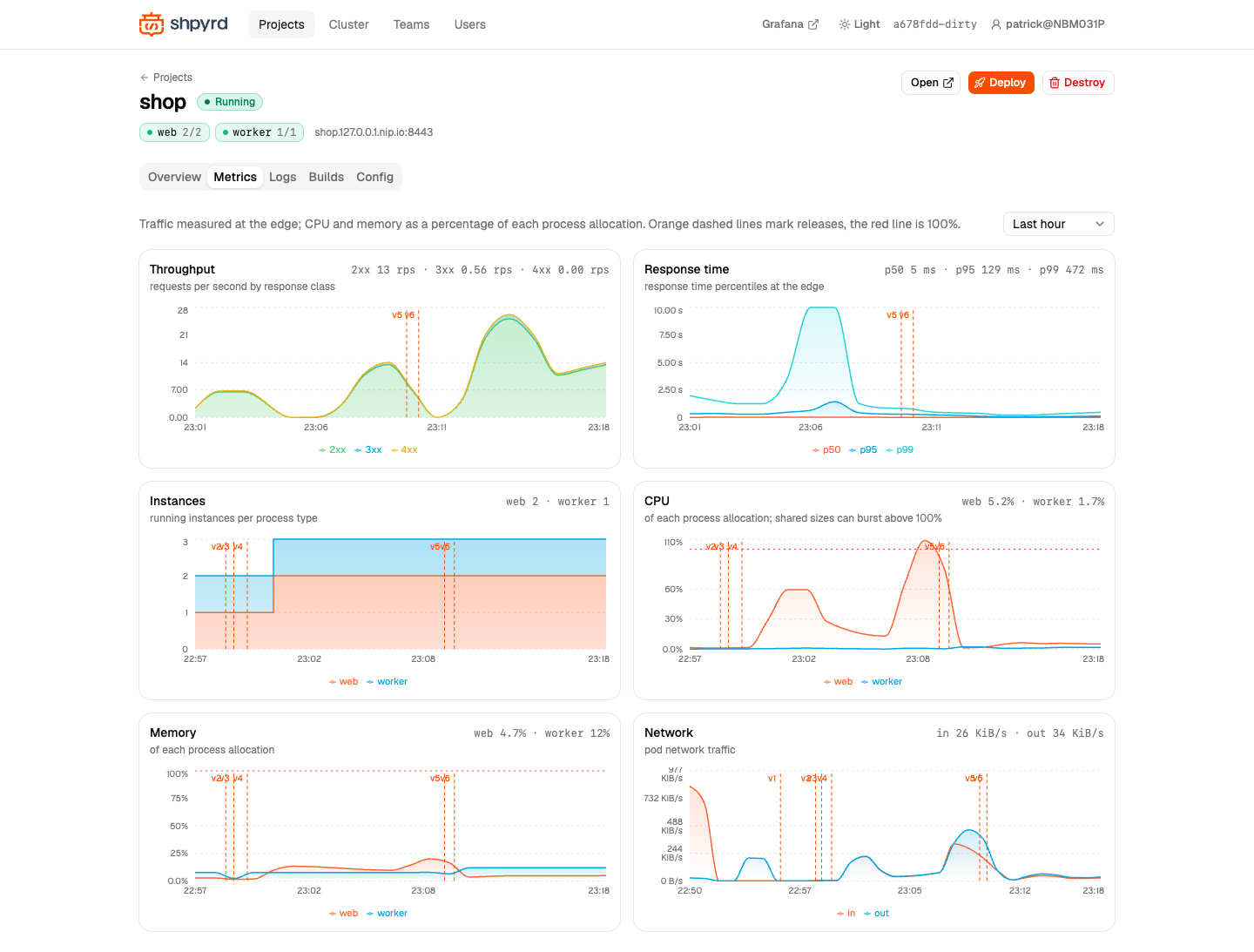
Traffic at the edge by status class, response time percentiles, instances per process type, CPU and memory as a percentage of each process' allocation, network. Orange dashed lines mark releases; the red line is 100% of the allocation.
Logs
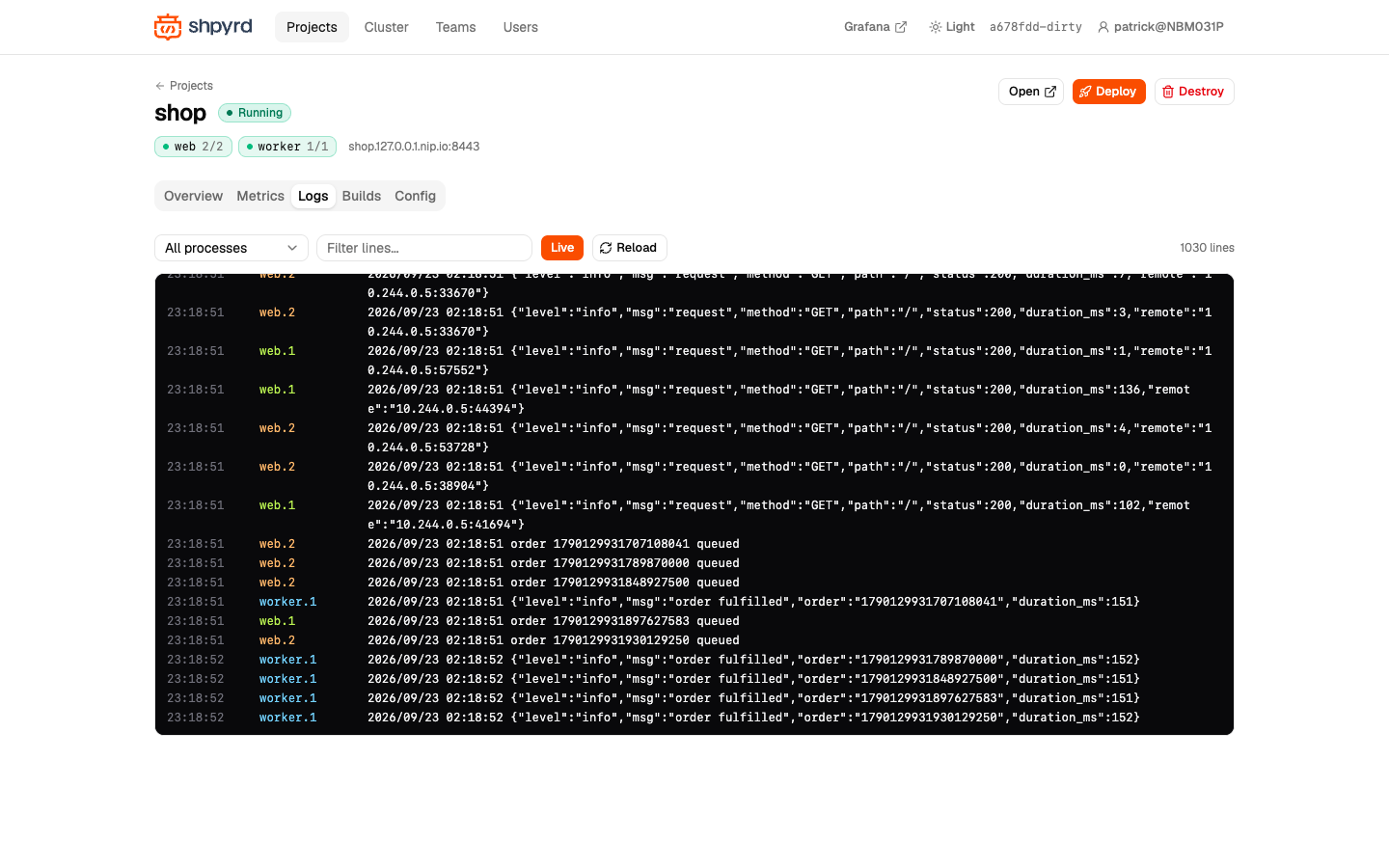
Every instance streamed live and named the Heroku way (web.1, web.2, worker.1), with a process filter, a text filter, level highlighting and pause. Here the web instances log JSON request lines and queue orders that worker.1 fulfils.
Builds
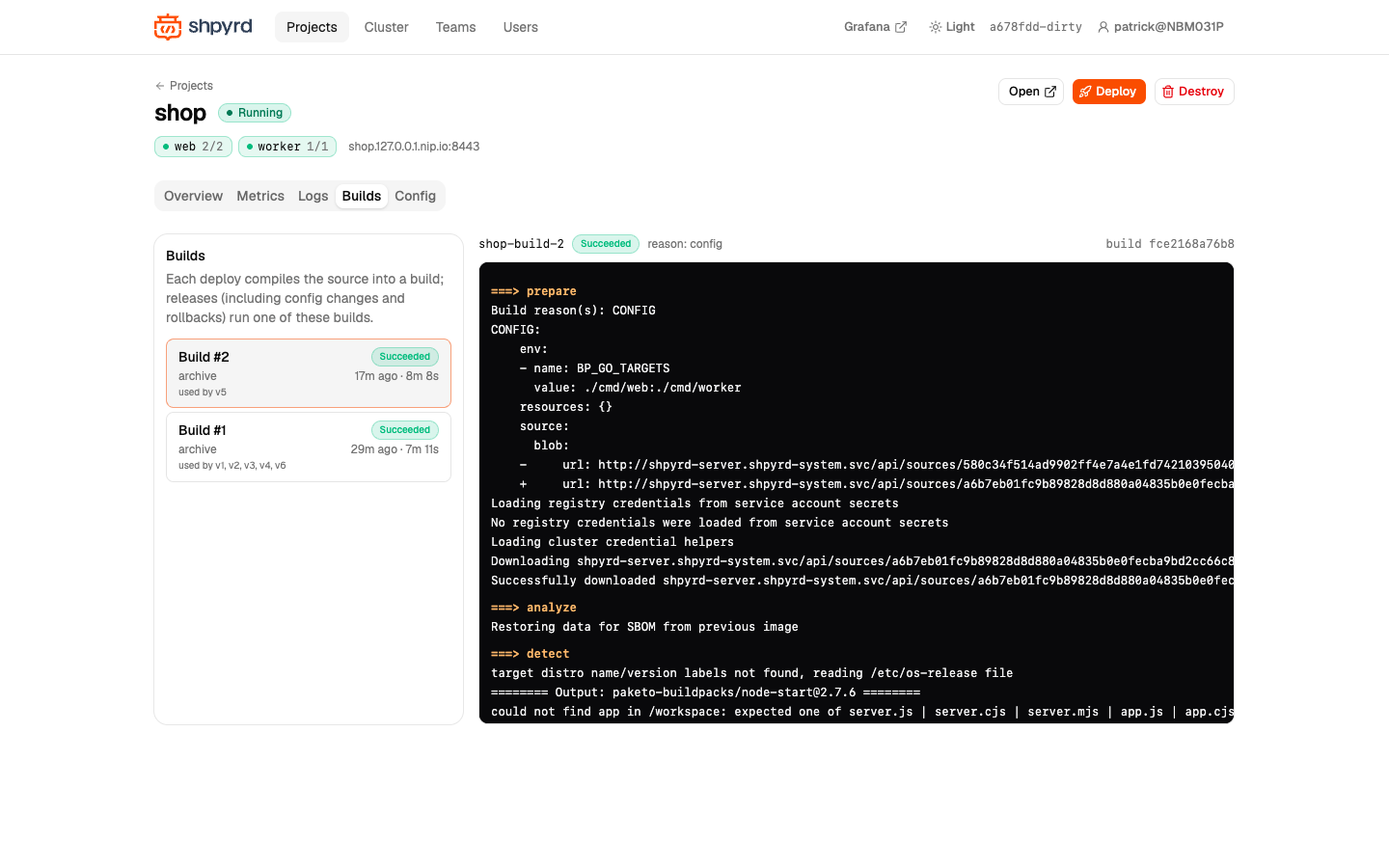
Build history with strategy, source and duration; select one to read its full output, and see which releases use it.
Config vars
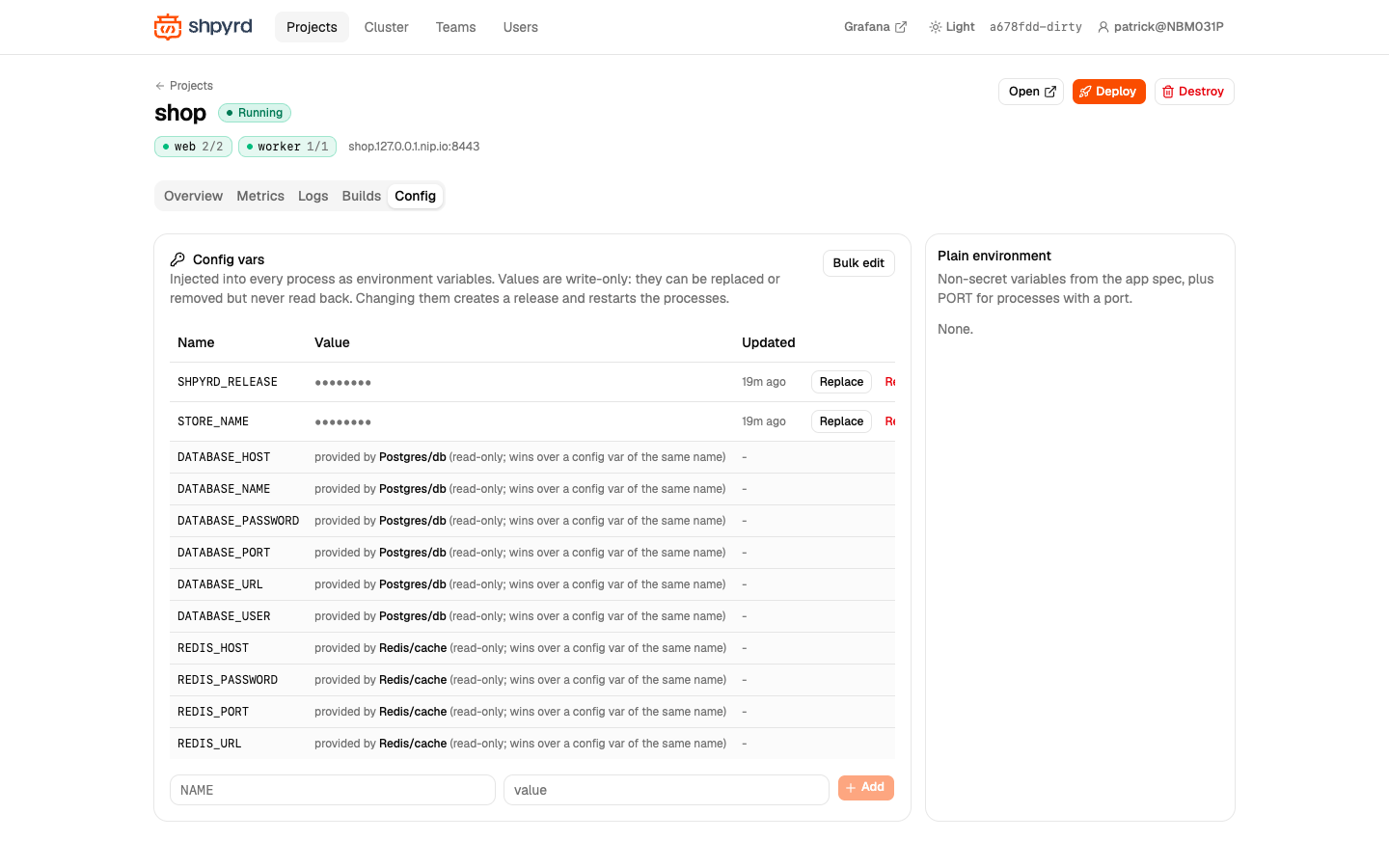
Config vars are write-only: names and last-updated times are shown, values never. Variables provided by attached resources (DATABASE_URL, REDIS_URL, ...) appear read-only with their provider and win over a config var of the same name.
Volumes
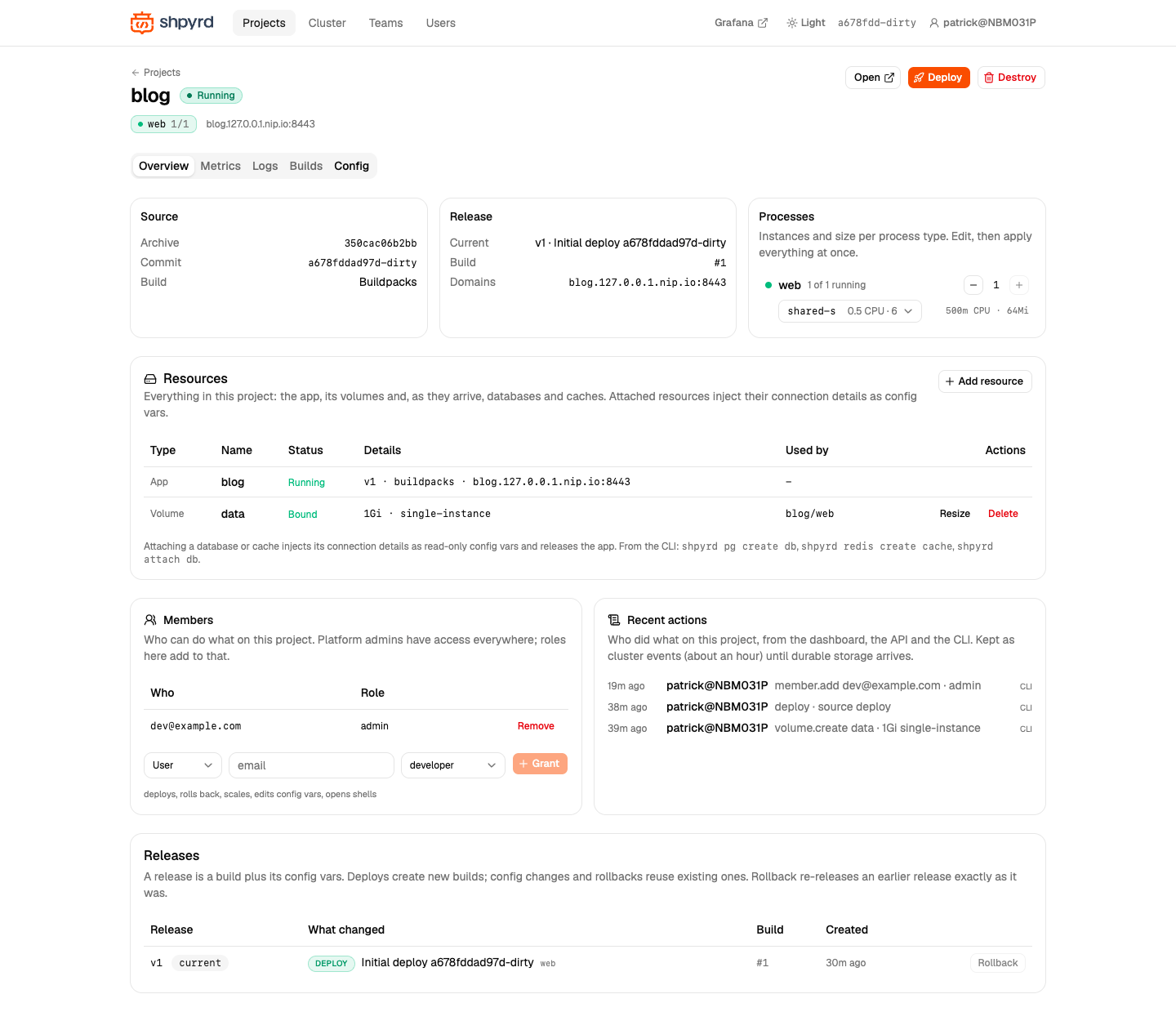
blog mounts a persistent volume at /data for its visit counter. A single-instance volume pins the process to one instance (the scale control is disabled) and rolls out with Recreate; the data survives deploys.
Cluster
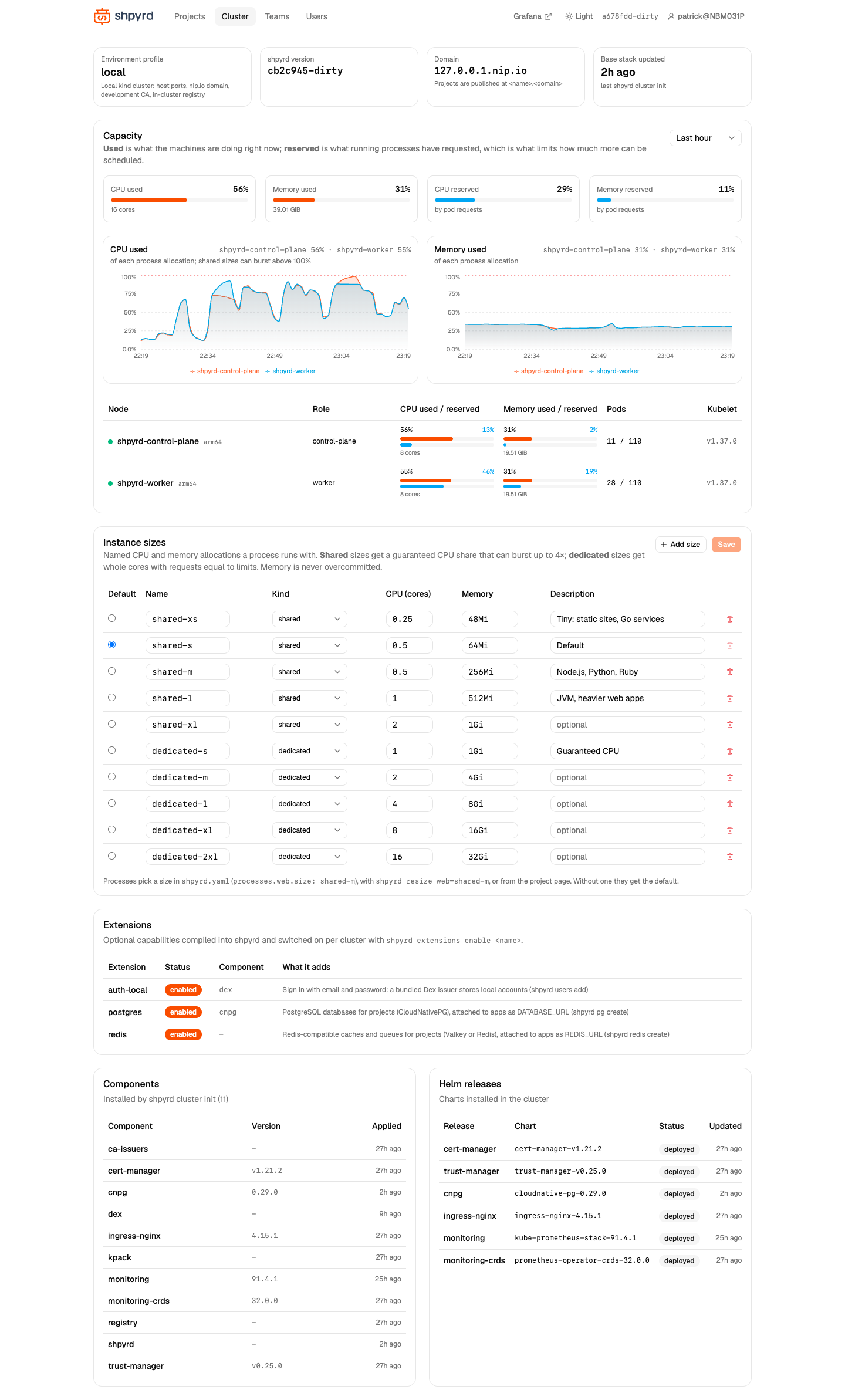
Self-hosted: the page the platform admins of a cluster you run yourself see. Capacity (used versus reserved CPU and memory, per node and over time), the instance size catalog, the extensions and their state, installed components and Helm releases.
Teams and users
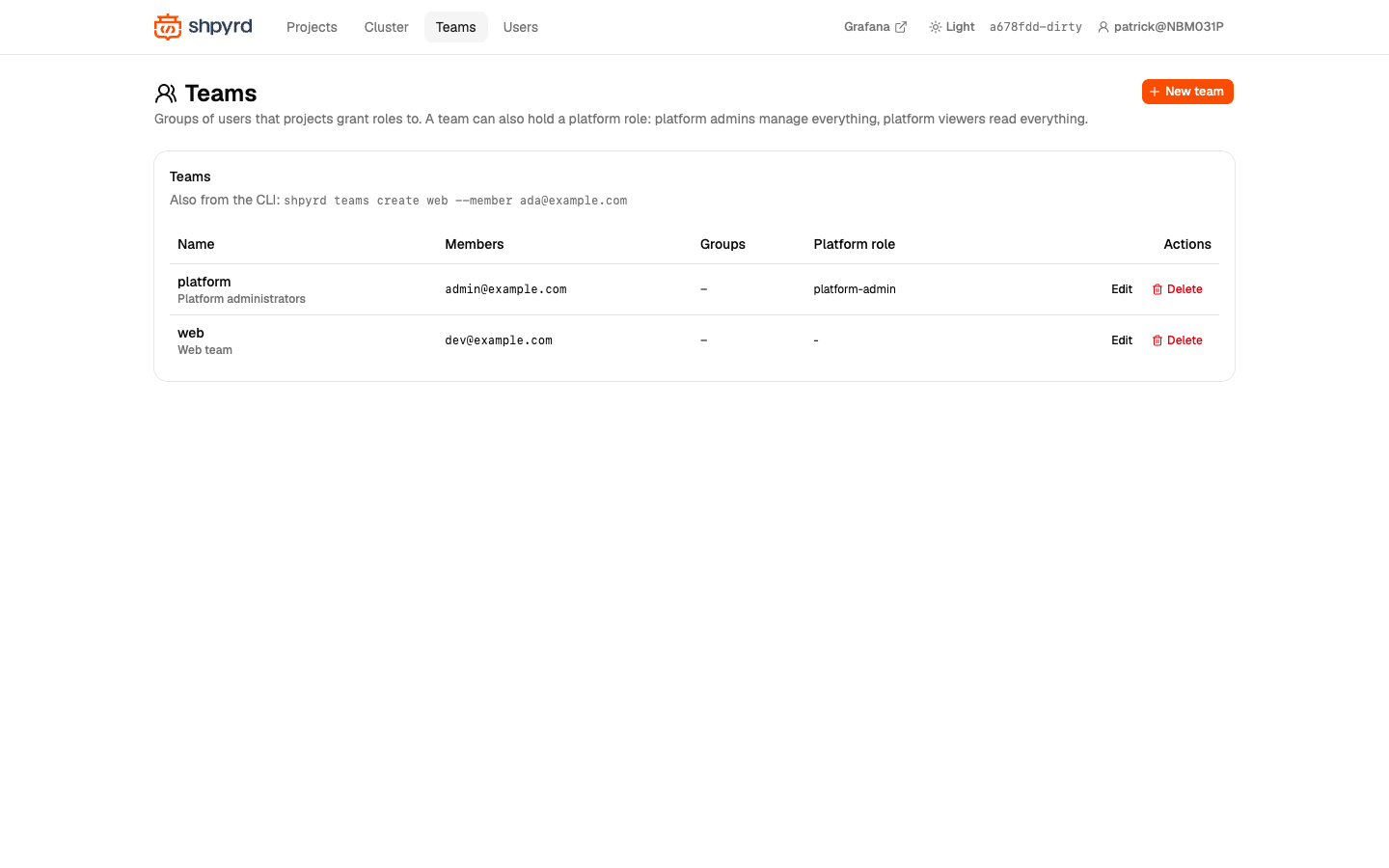
Teams group users (by email or by a group from the identity provider) so projects can grant roles to many people at once; a team can hold a platform role.
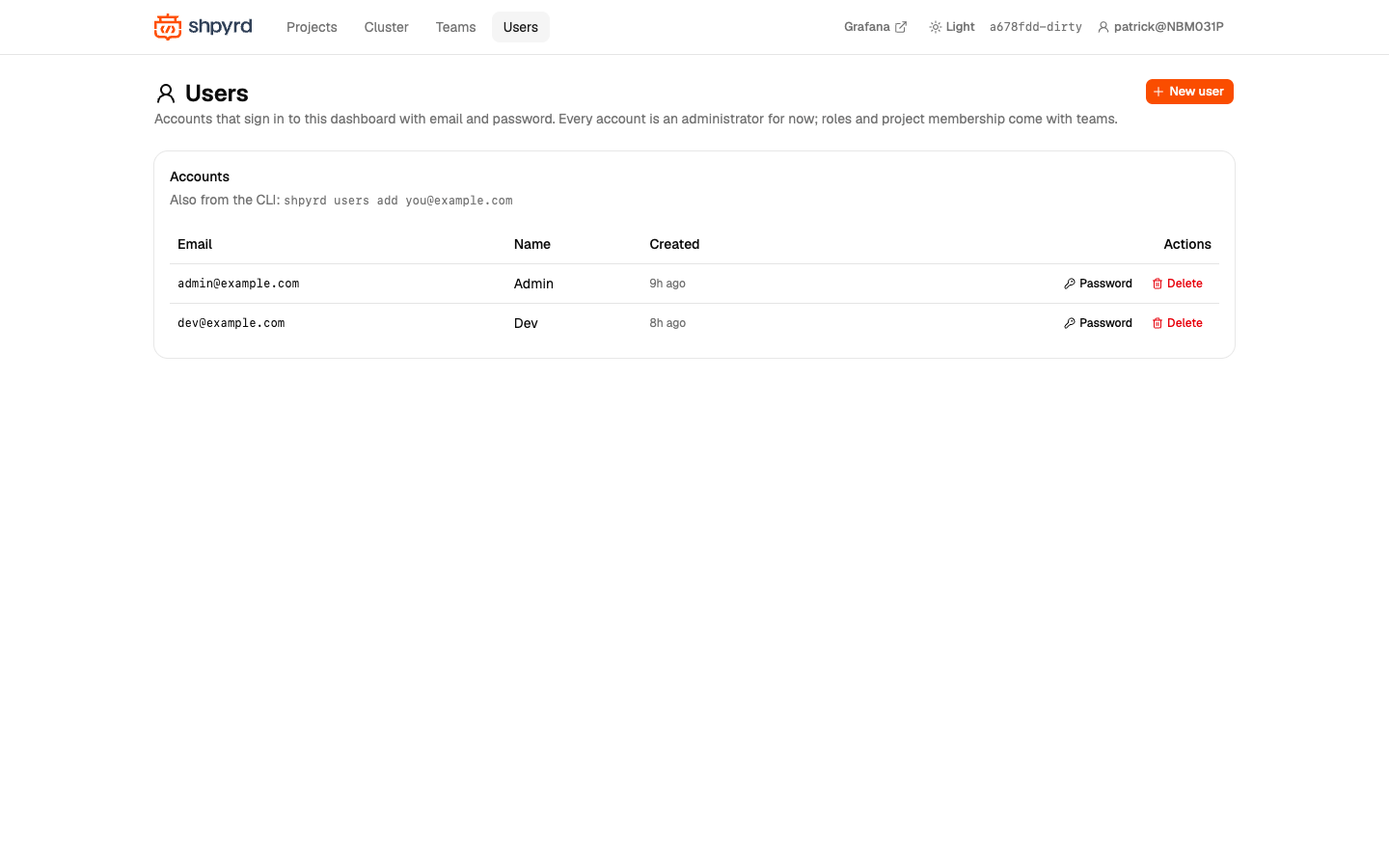
Self-hosted: local accounts of the auth-local extension: add, reset passwords, remove.
Try it yourself
On a cluster you run yourself (pg and redis go through the cluster; on shpyrd cloud, add databases from the project's Resources card):
shpyrd projects create shop --public && cd examples/shop && shpyrd deploy # a public shop; without --public visitors sign inshpyrd pg create db --project shop && shpyrd redis create cache --project shopshpyrd attach db && shpyrd attach cacheshpyrd projects create blog && shpyrd volumes create data --size 1Gi --project blog && (cd ../blog && shpyrd deploy)shpyrd projects create api && (cd ../api && shpyrd deploy)